How to Disable WooCommerce Payment Methods by Customer Country
Some stores offer a payment option only for orders associated with certain countries. MegalogicStudio Checkout Rule Guard lets you hide one configured payment method when a selected checkout country matches a rule. It does not enable a payment gateway that WooCommerce or the gateway itself has made unavailable.
Create a country rule
- In WordPress admin, open WooCommerce → Checkout Rules.
- Under Start from a free template, choose Disable a payment method by country.
- Keep Method type set to Payment method. Under Method to hide, select the configured payment method you want to restrict.
- For Condition, select Billing country or Shipping country. Choose the address field that matches your store policy; do not assume these values are interchangeable.
- Set Operator to is, then choose the country.
- Name the rule, confirm Enable this rule is checked, and select Save rule.
- Use Preview rules with the matching country and a different country. Then test both cases in a staging checkout, including the address field selected in the rule.
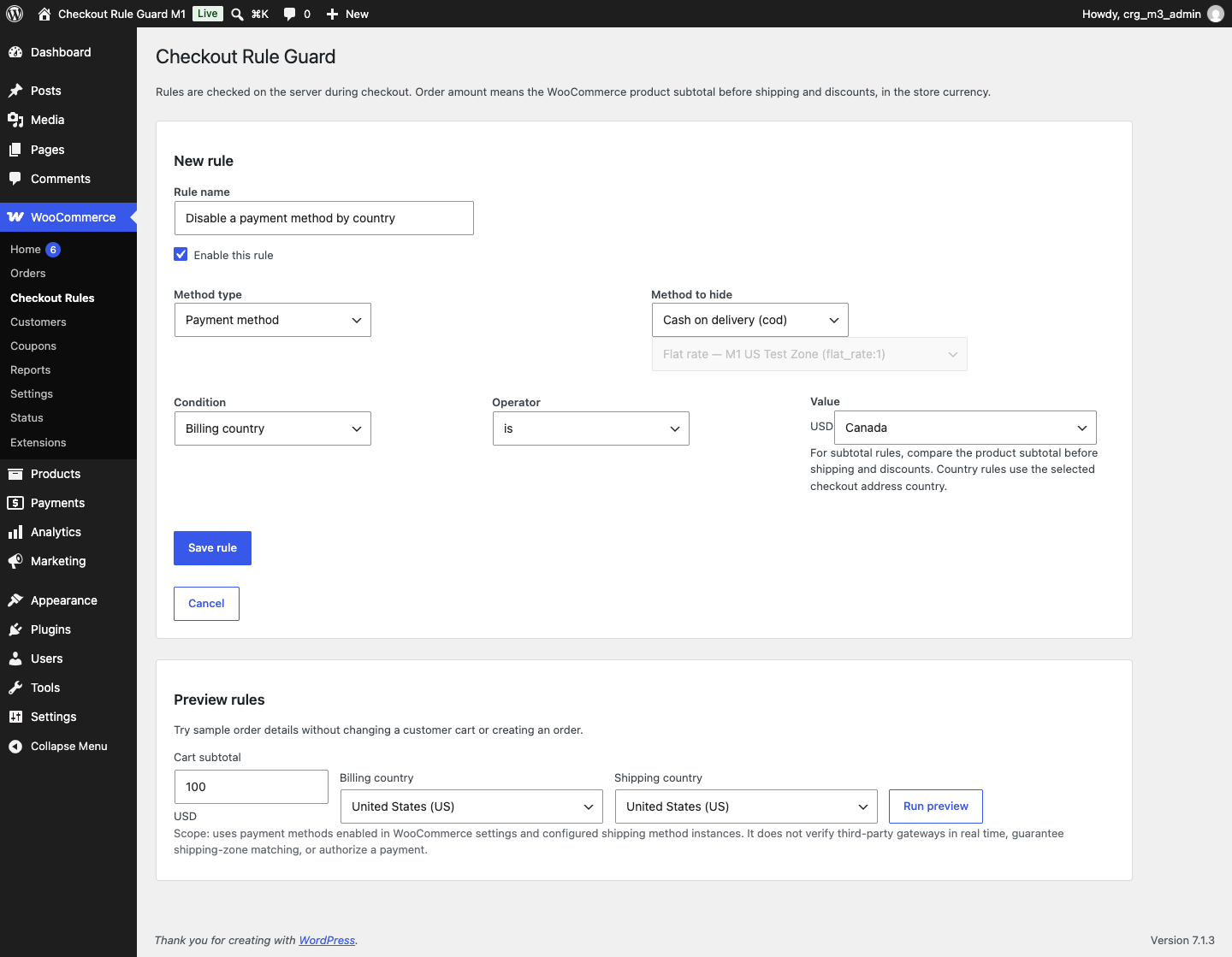
The rule hides the selected method only when its configured country condition matches. The preview uses methods enabled in WooCommerce settings; it cannot test a gateway's live response. Payment gateway extensions may have their own country restrictions, so verify the combined behavior with your actual gateway on staging.
Availability: Available on WordPress.org: MegalogicStudio Checkout Rule Guard.
Test scope: Locally tested with WordPress 7.1.3 and WooCommerce 11.2.1. Other versions and third-party gateways have not been verified.