How to Test WooCommerce Checkout Rules Before Going Live
A checkout rule can hide a payment or shipping method only under specific conditions. Previewing sample values is a quick way to catch an unexpected match or a configuration that appears to hide every configured option. It is not a substitute for placing a test order on staging.
Preview a saved configuration
- In WordPress admin, open WooCommerce → Checkout Rules and create or edit the rule you want to check.
- Save the rule. Return to the rules page and find Preview rules.
- Enter a sample Cart subtotal, Billing country, and Shipping country. The subtotal is in the store currency.
- Select Run preview. Review which enabled rules matched, which configured methods they would restrict, and any conflict warning.
- Change one sample value at a time, run the preview again, and compare the result. For an amount threshold, test below, exactly at, and above the threshold.
- Test the matching and non-matching cases on a staging checkout with the same payment and shipping configuration as production. Place a test order using offline payment methods where possible.
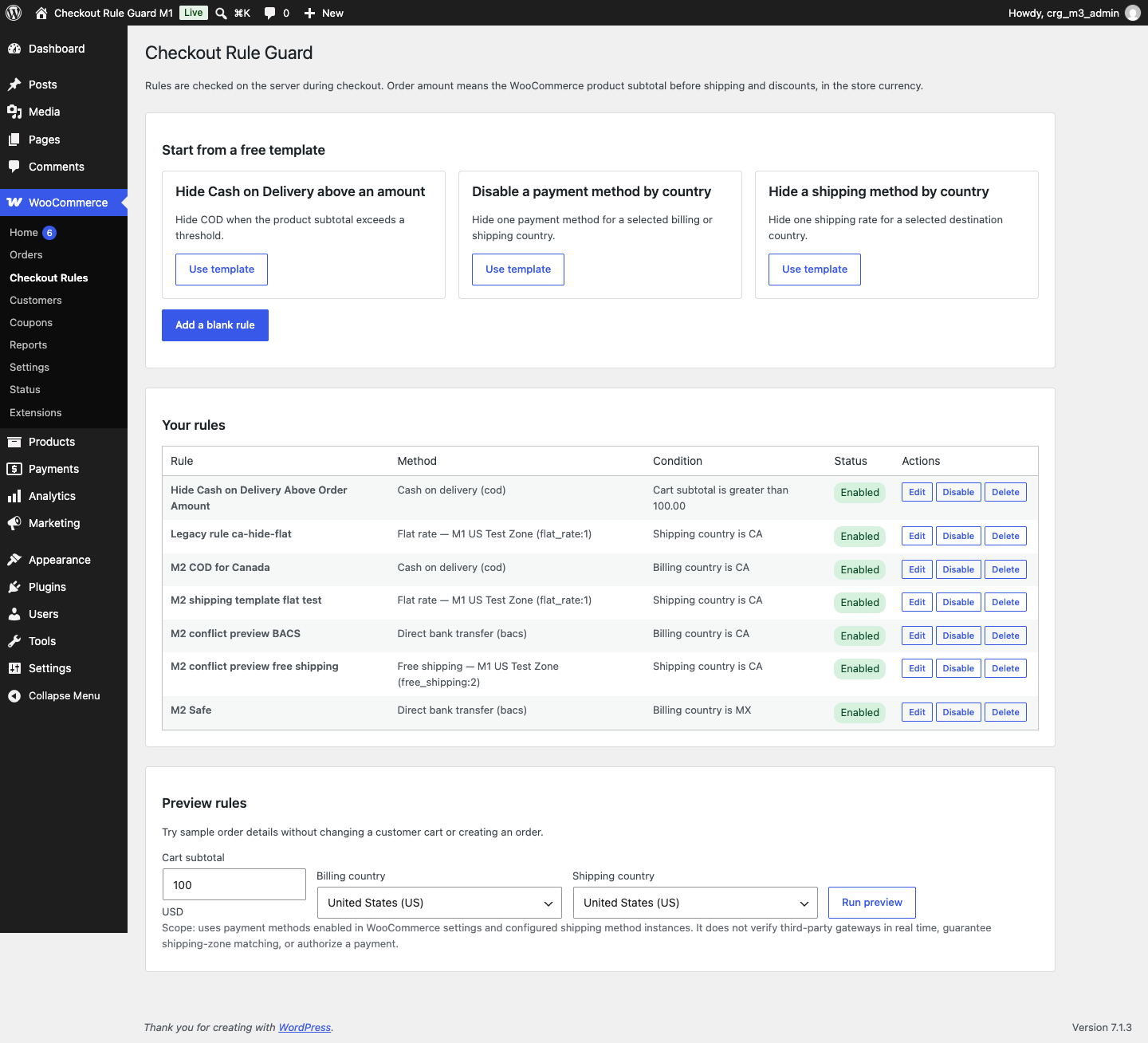
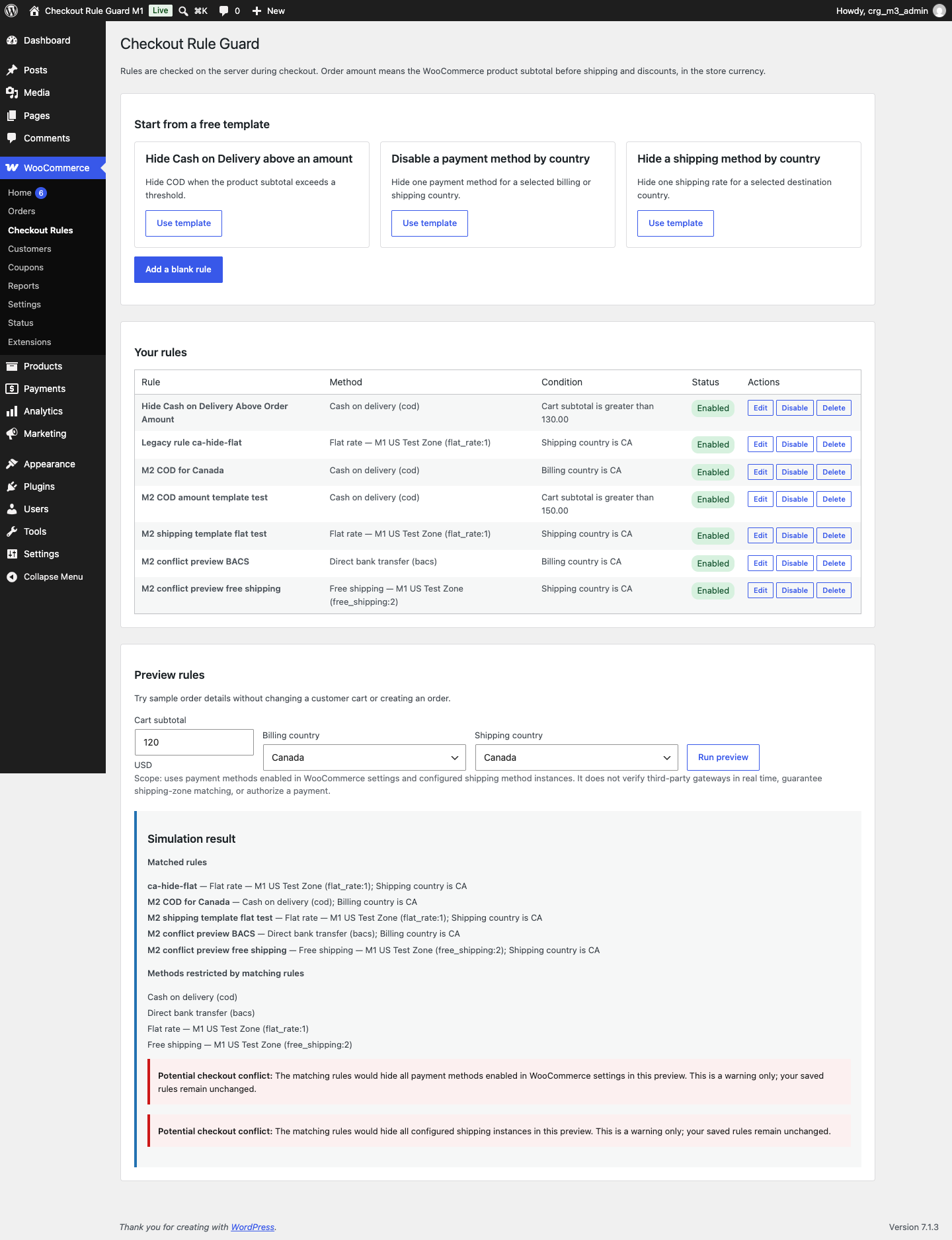
Preview evaluates enabled saved rules against the sample values. It does not create an order, change a customer's cart, or save the sample values. Its method list is based on methods enabled or configured in WooCommerce; it cannot check third-party gateway availability in real time, guarantee a shipping-zone match, or authorize a payment. A conflict warning is advisory and does not switch off or weaken any rule.
Availability: Available on WordPress.org: MegalogicStudio Checkout Rule Guard.
Test scope: The editor and preview were tested locally with WordPress 7.1.3 and WooCommerce 11.2.1. Confirm your own theme, gateways, shipping methods, and store configuration on staging.